
Import Your Manuscript PDF Into Storiando
You've been working on your story for a while. Maybe it lives in a word processor, maybe it's nearly done, maybe it stopped at chapter seven. Either way, starting again in a new tool sounds like the last thing you want.
You don't have to start again. You can now import a manuscript PDF into Storiando, and Ando, Storiando's writing assistant, turns it into a story: your chapters, your story's General information, its characters, locations and outline, all read from the words you already wrote.
Two Reasons to Bring Your Draft In
Your story is almost finished. The last stretch is mostly checking. Does the timeline hold? Did a side character's name change halfway through? With your manuscript in Storiando, your characters, locations and a chapter-by-chapter outline sit beside your text, so you can spot those gaps and ask Ando about continuity across the whole story.
Your story is still in progress. Maybe you stalled in the middle. Import what you have and pick up at the next chapter, with your cast and outline already in place. A partial manuscript stays partial: Ando only records what your pages say, so it won't invent an ending for you.
How the Import Works
1. Choose your PDF. On the Stories page, select Import PDF. Use a PDF with text you can select, like the one your word processor exports, up to 25 MB, 1,000 pages and 300,000 words. Scanned pages can't be read yet.
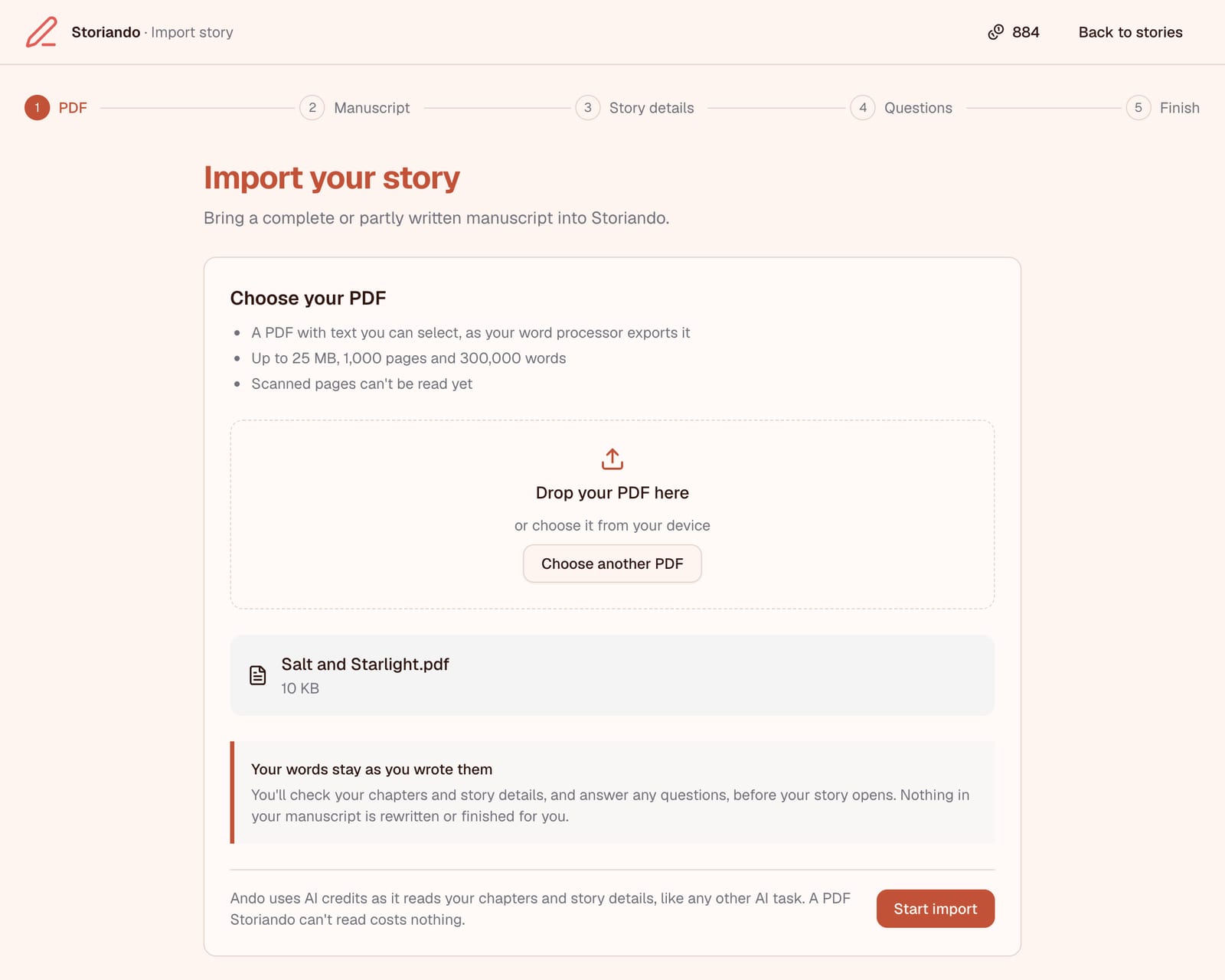
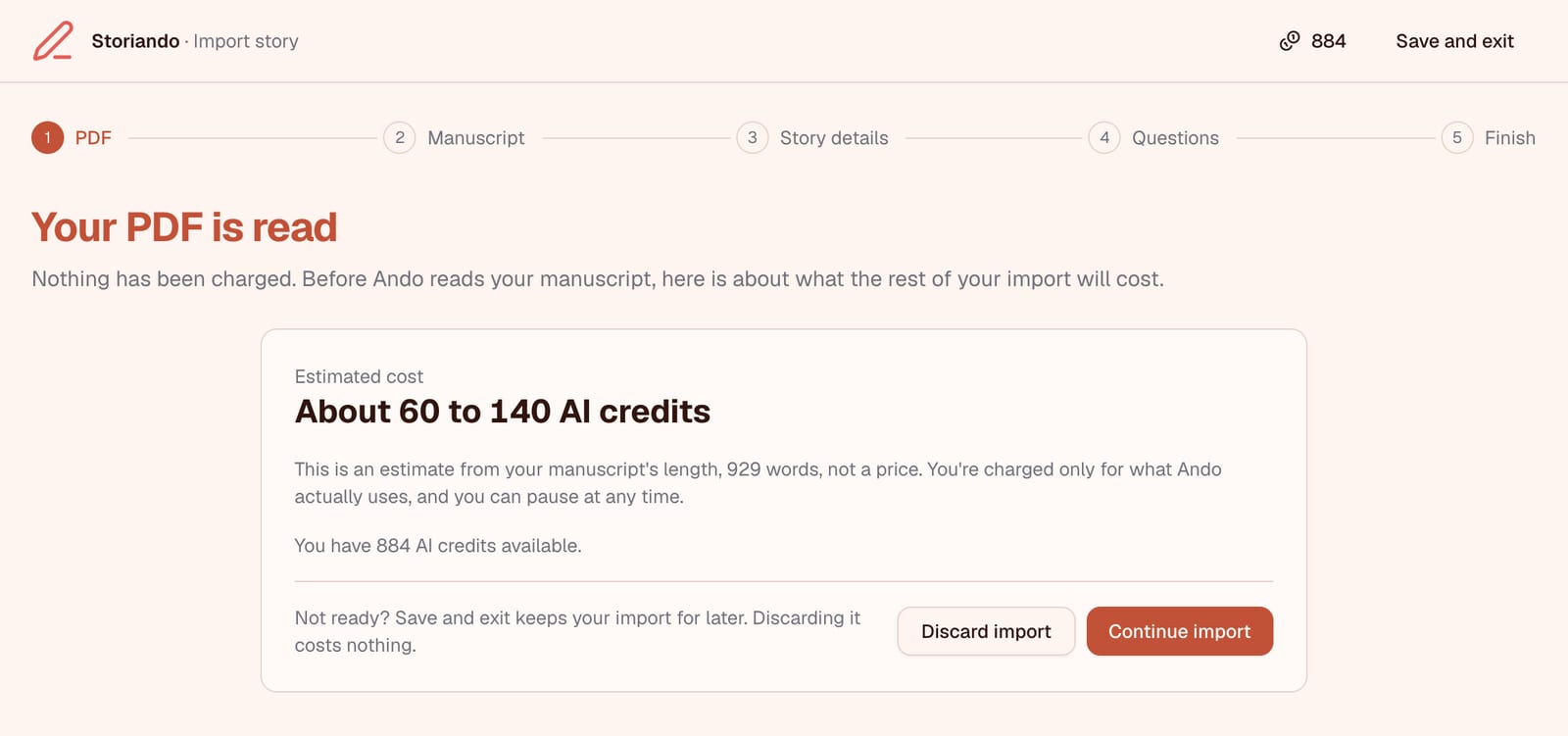
2. Check the estimate. Storiando reads the PDF first, and that costs nothing. Before Ando starts, you see about how many AI credits the rest will take, next to your balance. Nothing is charged until you choose Continue import.
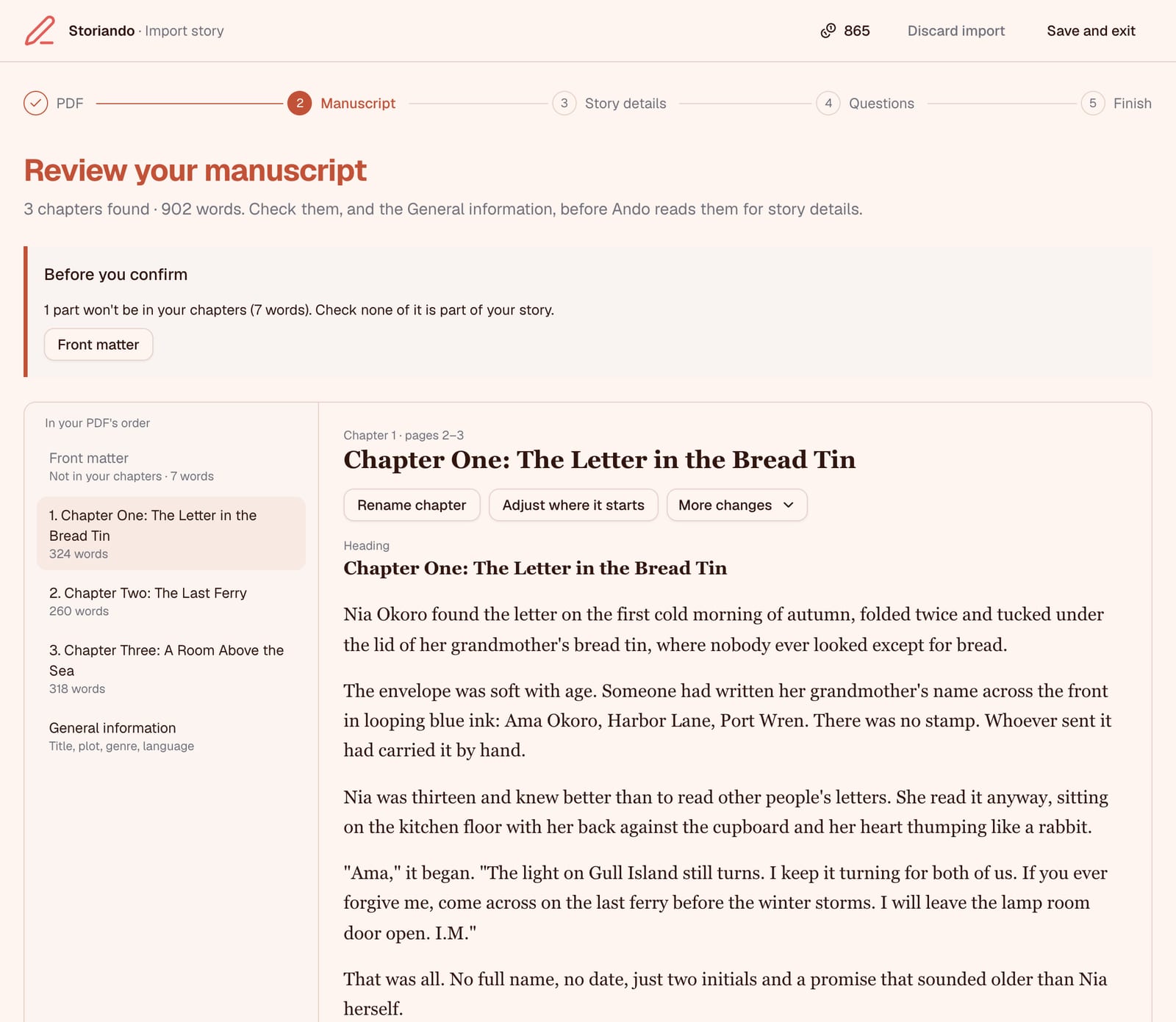
3. Review your manuscript. Ando finds your chapters and fills in your story's General information (title, plot, genre, point of view and more), showing the pages each value was read from. You can rename a chapter, move where it starts, split or merge chapters, and leave out parts like a title page.
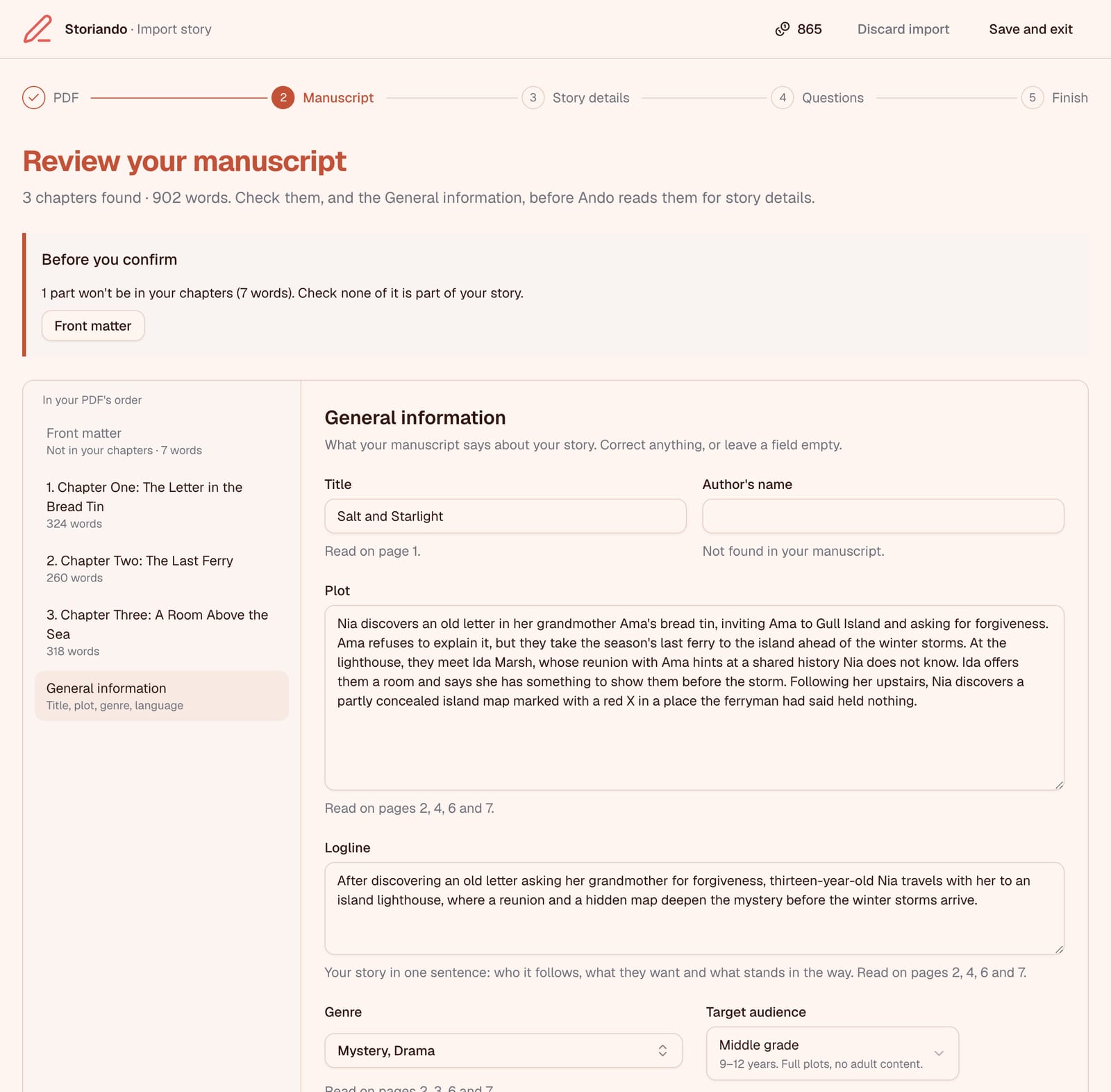
4. Let Ando find your story details. Once you confirm, Ando reads each chapter for characters, locations, relationships and the outline. Every detail is tied to a passage in your manuscript. In our sample story, a letter signed only "I.M." turned out to be from Ida Marsh, and Ando linked the two from the text.
5. Answer Ando's questions. If your manuscript leaves something unclear, such as whether two names belong to the same person, Ando asks. Choosing one of its answers is free, and "My manuscript doesn't say yet" is always an option.
6. Review everything and finish. Check your characters, locations and outline, edit anything that's off, or leave a record out. Where your manuscript says this shows the passages behind each detail.
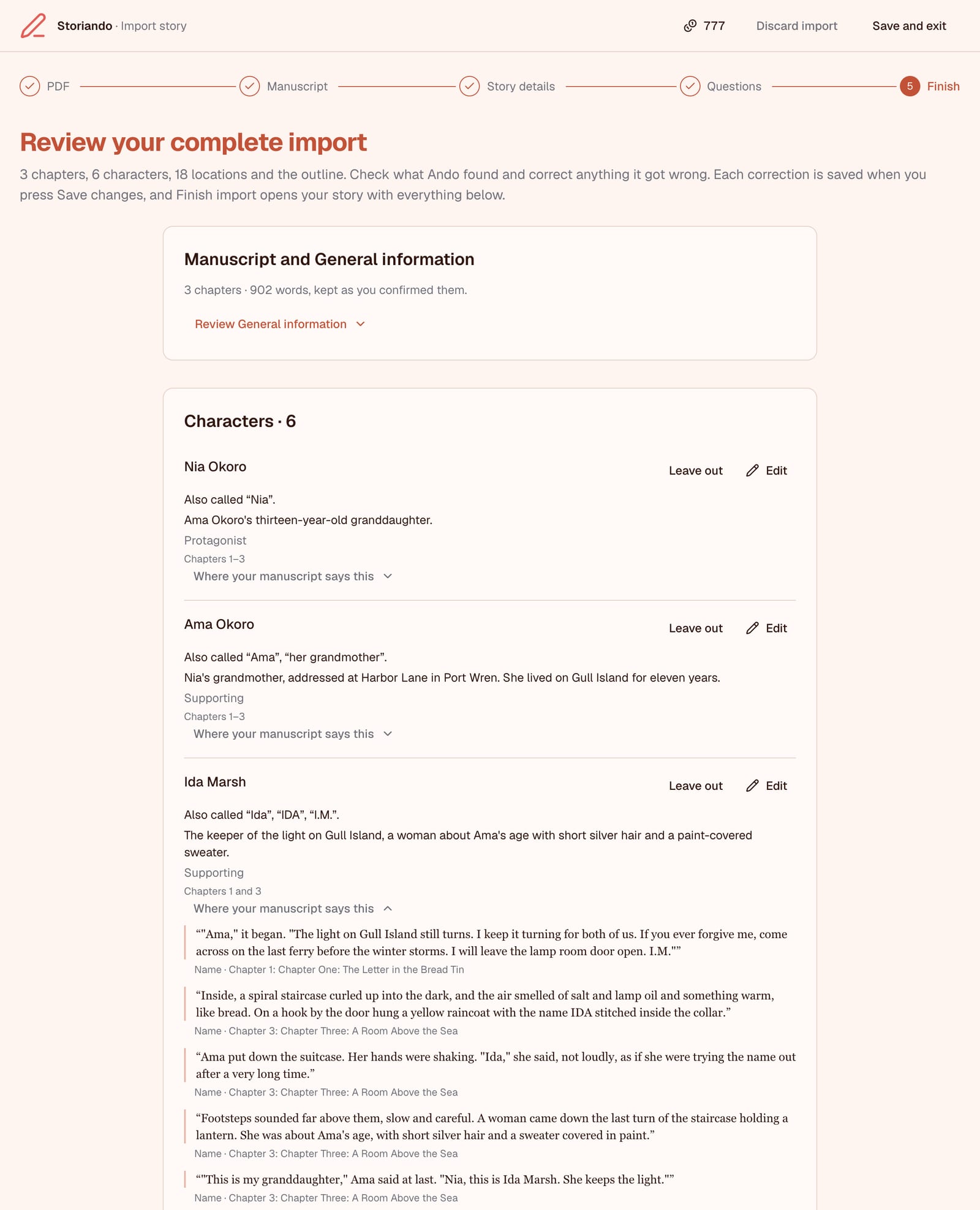
Then select Finish import and open your story.
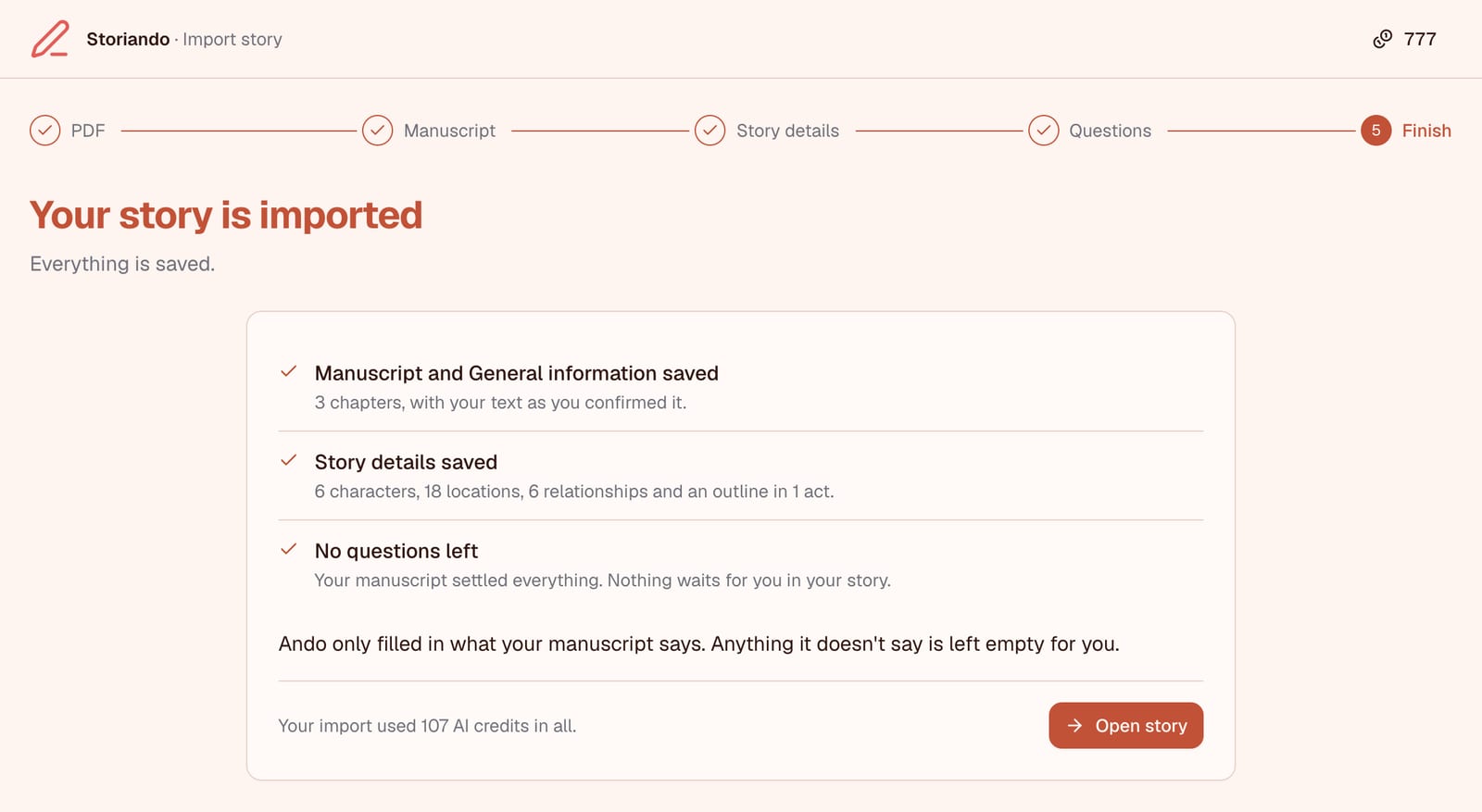
Need a break? Save and exit keeps your place, and you can resume the import from the Stories page.
Your Words Stay Yours
Nothing in your manuscript is rewritten or finished for you. Each chapter holds your paragraphs exactly as you wrote them. Once the import is over, the PDF itself isn't kept on our servers.
Importing uses AI credits like any other Ando task, and you can pause at any time. You'll find the details on our plans page.
If your draft is still at the idea stage, our guide to starting a novel when you have too many ideas is a better first step. Otherwise, try it with your manuscript in Storiando.