Your chapters
Every word kept as you confirmed it, unfinished parts included, each chapter in its own place.
Already started writing
Import your manuscript as a PDF. Ando finds your chapters, characters, places and outline, you check what it found, and your story opens ready for the next chapter.
Import your manuscriptFree plan, no credit card. You see the AI credit estimate before importing.
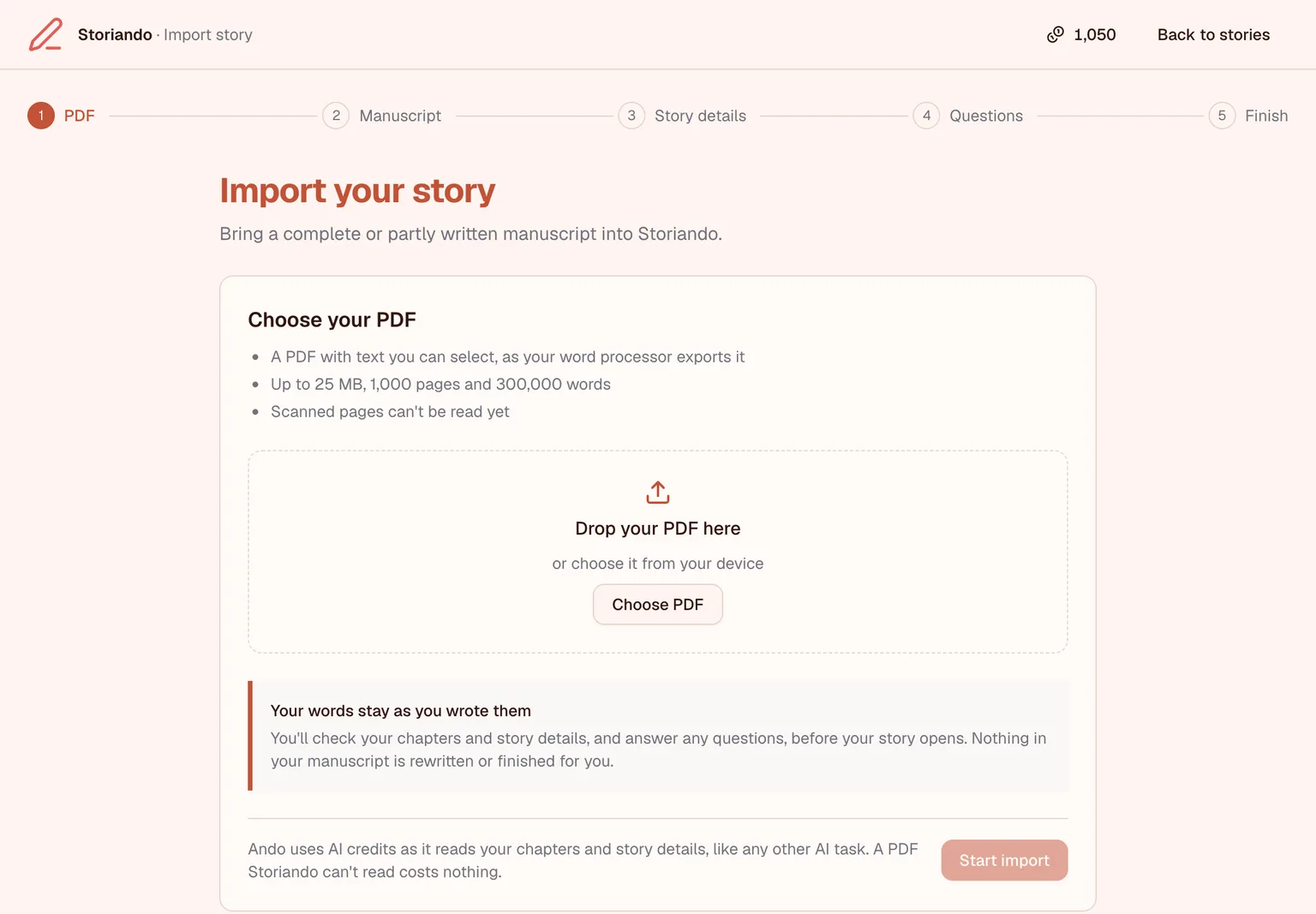
From PDF to story
No copying chapters in one by one. Ando works through your manuscript, and you confirm each step before it moves on.
Export your manuscript as a PDF from your word processor and choose it. Finished or halfway, it's welcome.
Ando finds the chapter headings and where each chapter starts. Move a break, join two parts, or leave a part out, then confirm.
Ando notes the title, genre, point of view and other details your manuscript shows, and asks you when something isn't clear.
Your chapters, characters, places and an outline grouped into acts are in place, ready for the next chapter.
What you get
Every word kept as you confirmed it, unfinished parts included, each chapter in its own place.
The people in your story, with what the manuscript says about them, including the names others call them.
The places your story visits, so the world stays consistent in the chapters you write next.
A summary of each chapter, grouped into acts, so you can see the shape of the story and plan what comes after.
Your words stay yours
What an import needs from you, and what it never touches.
A PDF with text you can select, as your word processor exports it, of up to 25 MB, 1,000 pages and 300,000 words. Scanned pages can't be read yet.
No. Import a complete or partly written manuscript, and carry on from the last chapter you wrote.
No. Ando reads your manuscript to find its chapters, characters, places and outline. The text of your chapters stays as you confirmed it while checking the chapter breaks.
Reading your PDF is free. Finding the chapters, characters, places and outline uses AI credits, and Storiando shows an estimate before it starts. The Free plan includes a monthly allowance of credits, and credit packs are sold in the app. Compare plans.
Yes. It becomes one of your stories as soon as it starts. The Free plan holds one story; Creator and Pro hold more.
Pick up where you left off
Bring in what you've written, check what Ando found, and carry on with the story.
Free plan, no credit card.
Cookie Consent
We use essential cookies for functionality, analytics cookies to improve our service, and functional cookies to enhance your experience. By clicking "Accept", you consent to our use of cookies. You can change your choice at any time from "Cookie settings" in the footer. Learn more